Android iOS Windows macOS Linux
macOS

KemitVPN for Mac

The most secure and fast VPN for Mac. Military-grade encryption, instant connect, and 500+ servers worldwide — zero logs guaranteed.

Your Mac is Safe Now

Fast, private, and always on — built to run beautifully on macOS.

  • Instant Connect

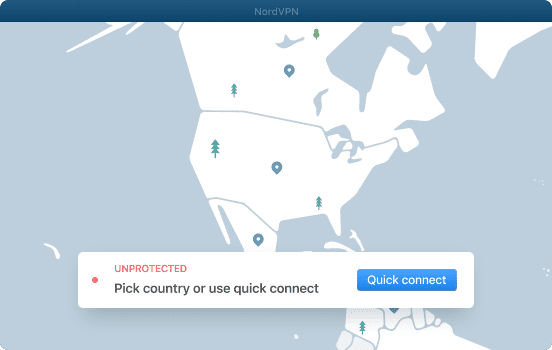
    With a single tap on Instant Connect, a special algorithm automatically chooses the fastest and most secure server. Break the limit!

  • Pay With Apple Pay

    We integrated Apple Pay into our payment system so you can use your trusted, secure method of payment with no friction.

  • Auto-Launch on Startup

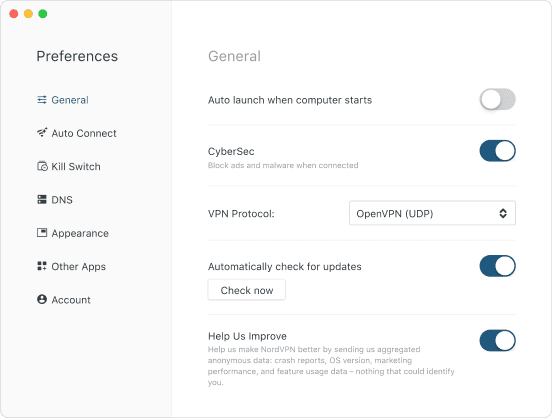
    Connect to KemitVPN automatically when you turn on your Mac. No hassle to launch KemitVPN anymore — you're always protected.
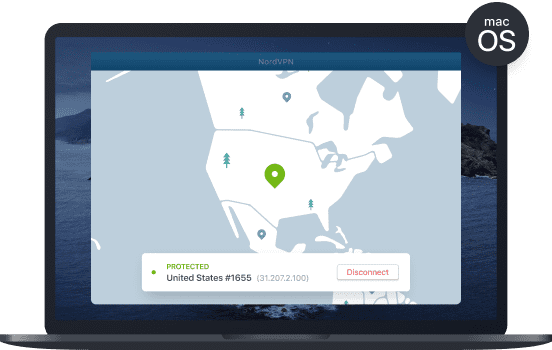
KemitVPN macOS application interface showing connection status and server options on a MacBook
MacBook laptop displaying the KemitVPN application interface with a clean modern design, set against a light background that conveys a sense of security and professionalism

Premium Features, No Extra Cost

Zero lag, zero logs — everything premium, included by default.

  • Complete Threat Protection

    Mana Infinite provides full ultimate protection from malware, phishing, spoofing, and any threat on your Mac — running silently in the background.

  • P2P & Unlimited Bandwidth

    Hundreds of dedicated P2P servers with no bandwidth limits, combined with Mana Infinite. The perfect VPN you need for any task.

  • Fully Custom

    When it comes to flexibility, you can have it all! If there is a feature we don't offer, just drop us a line in our live chat.

Advanced Configuration

Granular control over every aspect of your VPN connection.

  • Protocol Selection

    Easily switch between OpenVPN, WireGuard, IKEv2, and more depending on your speed or security requirements.

  • Kill Switch

    If the VPN connection drops, traffic is instantly blocked so your real IP and data are never exposed.

  • Split Tunneling

    Choose which apps route through the VPN and which connect directly — the ideal balance of speed and privacy.

MacBook laptop displaying the KemitVPN application interface with a modern and clean design showing VPN connection options and status

Frequently Asked Questions

Everything you need to know about KemitVPN on Mac.

Find KemitVPN on the App Store. Click Get, Install, and enter your Apple ID info if asked. Then the app will be on your computer in a few seconds. In our website, you can also download the OpenVPN version of the app, which has some additional functions including obfuscated and dedicated servers and Double VPN for even stronger protection.
Once you have installed it, setting up KemitVPN? you don't have too. Just find the KemitVPN icon in Launchpad, click on it, and the app will open. Log in with your username and password if you already have an account. If not, choose Sign Up and enter your details. You can also do it through our website. KemitVPN is user friendly so just open the app and click Instant Connect to connect with best VPN on internet.

Get KemitVPN for macOS

Join millions of users browsing securely on Mac. AES-256 encryption, 500+ servers, and a 30-day money-back guarantee.

30-day money-back guarantee. No questions asked.